Demo Guide for Our Life: Now & Forever
What ships in the demo, Moment order tips, and preparing for Early Access.
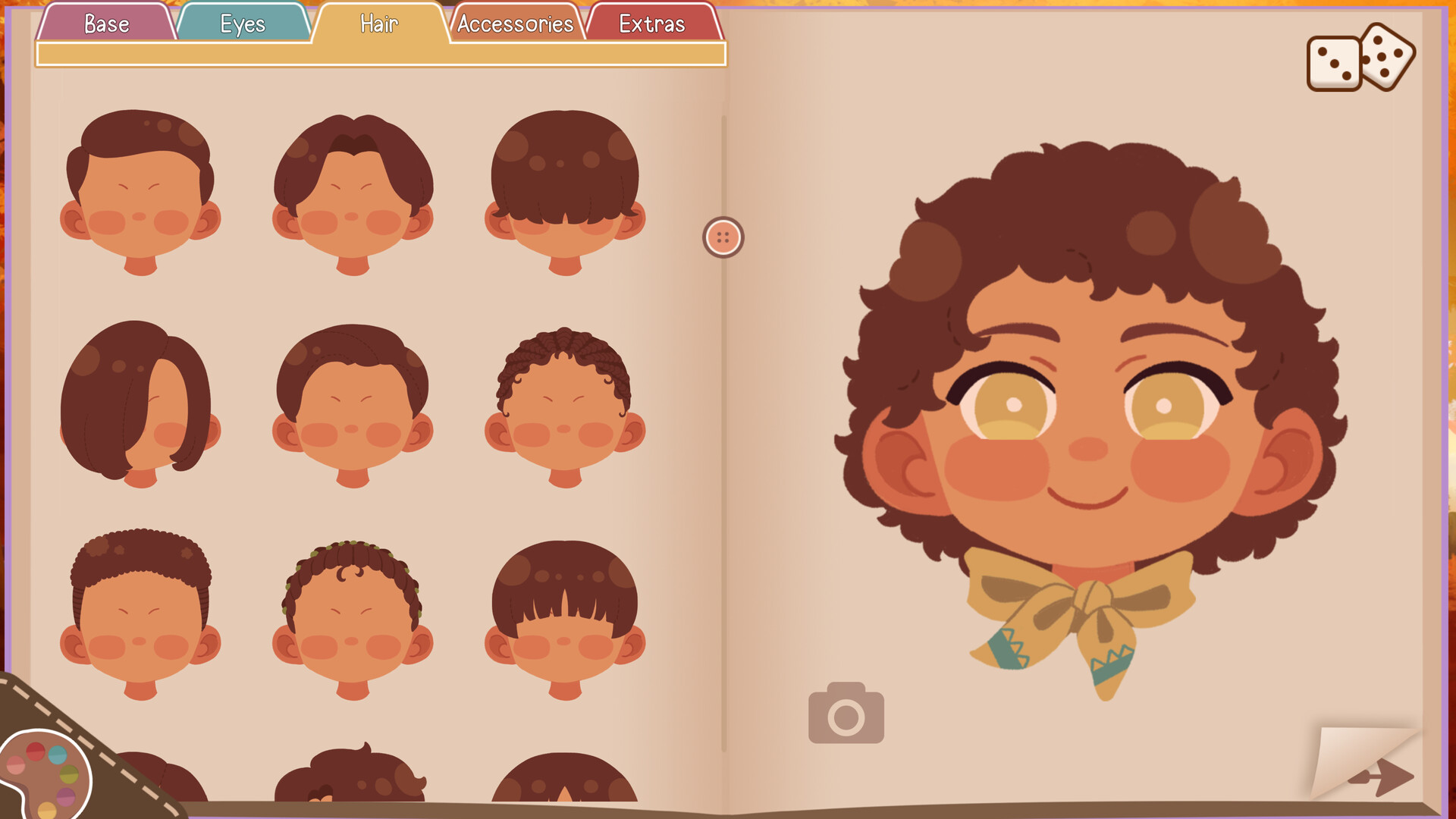
The Our Life: Now & Forever demo is the best way to feel Golden Grove before Early Access. It is available on Steam (app 1871580) and on itch.io for PC, Mac, and Android. This guide explains what the demo includes, what it deliberately leaves out, how to approach Moment order (especially Linked pairs like Walks and Wheels), and how to treat saves as you prepare for the November 27, 2026 EA launch of Steps 1–2—still on track after Steam re-approved the build on November 21 following a brief delay scare.
Pair this page with Getting Started, the EA FAQ, the Moments System, and the Character Creator guides. For launch timing, see Launch Status, Early Access, and the roadmap.
What the demo includes
Officially, the demo covers part of the childhood section plus a brief preview of the teen-aged portion. Expect:
- Protagonist customization (names, pronouns, doll) — included but incomplete versus the full project.
- Partial mom customization for family resemblance.
- Introductions to Tamarack and Qiu.
- A selection of Step 1 Moments playable in the current demo/beta builds, historically including crowd favorites such as Walks, Wheels, Fancy Fun, and other childhood scenes depending on version.
- Linked Moment behavior: playing one branch first changes the sibling Moment.
- Text presentation options (font size/type, textbox layouts). Self-voicing exists in the engine’s accessibility toolkit—confirm in your build’s settings; see accessibility.
Word count for the wider project is enormous (Steps 1–2 alone are described in the million-word range for EA). The demo is a slice, not a compressed full Step 1.
What the demo does not include
- Full Steps 1–2 content that EA will ship.
- Complete doll part catalog.
- Voice acting (demo has none; partial voice is planned for later full release).
- All DLC Moments for each Step.
- Final performance/Cloud-save assumptions—verify system requirements and EA patch notes closer to launch.
If a feature is missing, do not assume it was cut from the game; check the roadmap.
Platforms and installs
| Store | Notes |
|---|---|
| Steam demo | Separate demo app from the main OLNF page; easy wishlist funnel into EA |
| itch.io | PC / Android / Mac demo builds; useful if you prefer itch libraries |
| Android | Large download; give it storage headroom |
Confirm OS and storage on the system requirements page before downloading ~1 GB-class builds.
Moment order tips (demo)
Moments can be played in any order you unlock. Order still matters because:
- Linked Moments rewrite each other based on which you finish first.
- Dialogue in later Moments references earlier antics, injuries, victories, and who you clung to.
- Once viewed on a save, a Moment generally cannot be replayed without loading an earlier file.
Walks ↔ Wheels (flagship Linked pair)
Walks and Wheels are the clearest demo classroom for Linked design. One path leans into a long forest walk and Tamarack’s chaotic ideas (yes, including cashew-throwing energy). The other zooms around town on wheels with different party composition and failure states. Whichever you play first becomes “history” for the second.
Practical advice:
- Create a save before picking either Linked option.
- Play Walks-first on one branch and Wheels-first on another if you care about both flavors.
- Pay attention to gear and room props (helmet colors, spare helmets in your room)—small consistency jokes appear when you decorate and then ride.
Deeper theory lives in the Moments System guide; romance fallout from who you side with is covered in Romance & Relationships.
Fancy Fun and other childhood Moments
Fancy Fun highlights Qiu’s ballet world and optional dance-hall involvement for the protagonist. Use it to sample Qiu-focused vibes after you have met both leads. Mix social Moments (parties, holidays, school) with outdoorsy Tamarack energy so the demo does not feel one-note.
Suggested first demo loop:
- Finish introduction; save.
- One Linked pair (Walks/Wheels) with a backup save.
- One Qiu-leaning Moment such as Fancy Fun.
- One broader friend-group or holiday Moment if available in your build.
- Peek the teen preview only after you understand childhood systems.
Saves and Early Access
Official transfer rules matter more than rumor threads:
- Step 1 demo saves can carry into Early Access. If your childhood file is the one you care about, keep it intact and follow in-game / Steam notes when EA unlocks.
- Step 2 demo saves do not carry. Teen-preview files are for tone and systems practice only—expect a fresh Step 2 start in EA.
- Ren’Py Sync exists for moving supported saves between devices when you configure it; combine it with Steam Cloud on the EA product rather than assuming demo Cloud behavior matches.
Still treat most demo files as scratch paper for learning:
- Learning saves: experiment with pronouns, rude vs kind answers, and Linked order.
- Reference notes: jot Moment order, Dynamic leanings, and doll settings you loved.
- Optional EA continue: only count on Step 1 demo → EA continuity; create a new file anytime you want a cleaner creator pass once EA doll options expand.
More launch-day save questions live on the EA FAQ; countdown checks live on Launch Status.
Demo goals checklist
Use the demo to answer:
- Do I like reading at this length with these fonts?
- Do I connect more with Tamarack, Qiu, both, or neither yet?
- Do Linked Moments excite me or stress me? (If they stress you, keep more backup saves.)
- Is the free-base + Step DLC model something I am okay supporting later?
If the answer to “do I want years with these neighbors?” is yes, wishlist the main app and read Getting Started for EA day-one habits.
After the demo
- Rebuild your look with fuller options: Character Creator.
- Study structure: Moments System, Steps Overview.
- Plan romance pacing: Romance & Relationships.
- Decide on packs: Step DLC.
- Compare series entries: OLNF vs OLBA.
- Track launch: Launch Status, Updates, Early Access, EA FAQ, roadmap.
- Cast deep-dives: Players, Supporting Cast.
- Stores and socials: Links.
The demo’s job is not to finish Golden Grove—it is to prove you want to live there.
Frequently Asked Questions
Quick answers about Golden Grove, Early Access, and relationships.
Where do I download the demo?
On Steam via the Our Life: Now & Forever Demo app (1871580), or from the itch.io page with PC, Mac, and Android builds.
Does the demo include all of Step 1?
No. It includes part of childhood and a brief teen preview. Early Access ships the full Steps 1–2 experience.
Should I play Walks or Wheels first?
Either works. They are Linked, so order changes the other. Keep a save before choosing if you want to experience both sequences.
Will my demo save continue in Early Access?
Step 1 demo saves can carry into EA. Step 2 demo saves do not. Ren’Py Sync can help move supported files between devices. See the EA FAQ for launch-day caveats.
Is there voice acting in the demo?
No. The demo is unvoiced. Partial voice acting is planned for the finished version later in the roadmap.