Getting Started with Our Life: Now & Forever
Wishlist, demo, Early Access, and your first hour in Golden Grove.
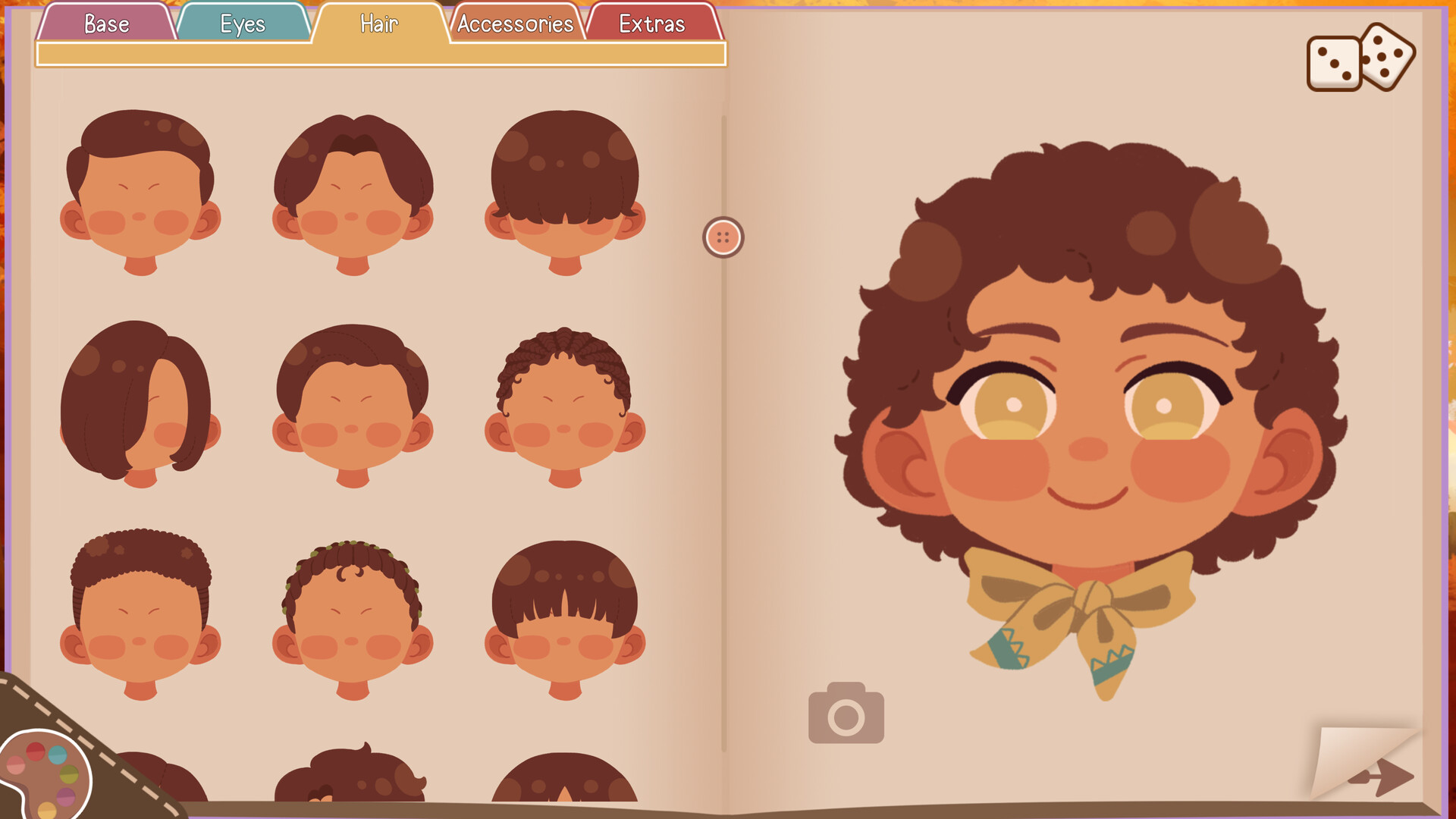
Our Life: Now & Forever is a customizable visual novel about growing up beside two neighbors in Golden Grove, Oregon. This guide gets you from “I just found the Steam page” to a confident first session: where to wishlist, what the demo includes, how Early Access differs, what to do in your first hour, and how the free base game plus $5.99 Step DLCs fit together.
If you only open one other page after this one, make it the Demo Guide, the EA FAQ, or the Character Creator depending on whether you want story structure, launch answers, or doll customization first.
What you are about to play
You move into a cul-de-sac with your mom. A paper airplane lands at your feet and introduces you to a tight-knit mountain town and two kids your age: Tamarack Baumann (she/her) and Qiu “Autumn” Lin (genderfluid they/he). The story is split into Steps—childhood (10), teen years (14), young adulthood (18), and grown (22)—summarized on Steps Overview. Early Access on November 27, 2026 ships Steps 1 and 2 and is on track after Steam re-approved the build on November 21 following a brief mid-November delay scare. Full release is planned for late 2027, with a Wedding DLC aimed at early 2028. See Launch Status, Early Access, and the roadmap for the official schedule.
The base game is free. Each Step Expansion DLC unlocks five additional Moments for that Step for $5.99 USD, with four Step DLCs planned over the project life (Step DLC). You can enjoy a complete emotional arc on free content alone; DLC deepens callbacks and bonus scenes rather than gating the main path behind a paywall.
Official language support is English only. Platforms: Windows, Linux, macOS, and Android. Confirm your machine against system requirements and skim accessibility for fonts, textbox layouts, and self-voicing.
Wishlist and storefronts
- Wishlist the main Steam app so you get the EA unlock notification.
- Download the separate demo app (Steam app 1871580) or grab the demo build from itch.io if you prefer that storefront.
- Bookmark Links for official socials, Discord, and press materials.
- Optionally wishlist or follow Our Life: Beginnings & Always if you want series context—the games share a universe but not a cast. The OLNF vs OLBA guide explains what carries over.
Wishlisting does not cost anything and is the simplest way to avoid missing the EA go-live window.
Demo versus Early Access
| Demo | Early Access (Nov 27, 2026) | |
|---|---|---|
| Scope | Part of childhood + brief teen preview | Full Steps 1–2 |
| Moments | Limited free Moments (e.g. Walks, Wheels, Fancy Fun, and others in the current demo build) | Five free + five DLC Moments per Step, plus intros/conclusions |
| Character creator | Included but incomplete vs launch | Fuller doll options for EA Steps; more parts planned later |
| Voice | No voice acting in demo | Partial voice planned for later full release |
| Saves | Step 1 demo can carry into EA; Step 2 demo does not | Steam Cloud + Ren’Py Sync on EA; keep backups |
Play the demo to learn Linked Moments and Dynamic meters without pressure. Do not assume every demo choice, CG, or doll part maps 1:1 into EA—treat the demo as a vertical slice. Save-transfer clarity and Moment tips live in the Demo Guide; countdown checks live on Launch Status.
First-hour checklist
Use this checklist the first time you launch either the demo or EA:
- Readability first. Open settings and pick a font size, font family, and textbox arrangement you can sustain for long sessions. Enable self-voicing if that helps you. Details: accessibility.
- Create your protagonist carefully. First name, last name, honorifics, nickname, pronouns (including custom and multiple sets), and the dress-up doll. Match your mom’s appearance enough for family resemblance if that matters to you. Deep dive: Character Creator.
- Save before major Moments. Moments are largely one-shot per save file unless you reload. Keep a “clean after intro” save and a “before Linked Moment fork” save.
- Meet both neighbors. Early scenes introduce Tamarack and Qiu. You can focus on one later, pursue both (including polyamory), or keep things platonic—but your first impressions feed Dynamic meters. Romance pacing tips: Romance & Relationships.
- Learn Moment select. After the introduction, you choose Moments in an order you prefer. Linked Moments (for example Walks ↔ Wheels) change based on which you play first. Mechanics: Moments System.
- Do not buy DLC on day one unless you already know you want every Moment. Finish free Moments for a Step, then decide whether the Expansion pack is worth $5.99 for you.
Pricing and DLC mindset
GB Patch’s model mirrors Beginnings & Always: free base story beats, optional Step packs that add five Moments each ($5.99, four Step DLCs over time), plus later cosmetic or story DLCs (voiced names, wedding story, and so on). For EA, expect Step 1 and Step 2 Expansion packs at $5.99 each. Prices stay consistent through EA for those packs; a new Step 3 pack arrives with that content later. Full pack notes: Step DLC.
Buy DLC when you:
- Want every CG, location, and callback for that Step.
- Are on a second playthrough and want alternate Moment order with more content unlocked.
- Support the studio after finishing free content you loved.
Skip or delay DLC when you:
- Are still learning systems in the demo.
- Prefer one clean free playthrough before branching.
- Are waiting for Step 3–4 or Wedding timing on the roadmap.
Habits that pay off later
- Personality consistency. The game remembers preferences and dispositions. Answering randomly makes later callbacks feel hollow.
- Room customization. When available in EA Steps, decorate deliberately—small props can be referenced in Moments (for example helmet colors during Wheels).
- Multiple saves. Plan a platonic run, a Tamarack-focused run, a Qiu-focused run, and a poly run if you like completionism.
- Series literacy (optional). You do not need OLBA, but knowing Cove’s structure makes Moments and Step Expansions feel familiar. See Differences from OLBA.
Where to go next
- Still deciding whether to install? Check system requirements and Links.
- Launch-day questions? EA FAQ and Launch Status.
- Ready to dress the doll? Character Creator.
- Ready to optimize Moment order? Demo Guide, Steps Overview, and Moments System.
- Curious about leads and side cast? Players hub, Tamarack, Qiu, Supporting Cast.
- Tracking launch? Updates, Early Access, roadmap.
Take Golden Grove slowly. The first hour is for comfort settings, a protagonist you like looking at, and two neighbors you will grow beside for years of story time.
Frequently Asked Questions
Quick answers about Golden Grove, Early Access, and relationships.
Is Our Life: Now & Forever free?
The base game is free to play. Optional Step Expansion DLCs cost $5.99 USD each and add five Moments per Step; four Step DLCs are planned over time. You can enjoy the core story without buying DLC.
Should I play the demo before Early Access?
Yes if you have time. The demo teaches Moments, Linked forks, and customization with lower stakes. Treat it as a preview—EA Steps 1–2 are much larger.
When does Early Access launch?
November 27, 2026 at 6:00am US MT / 8:00am EST, with Steps 1 and 2. The date is on track after Steam re-approved on November 21 following a brief delay scare. Confirm on Launch Status, Early Access, and roadmap pages.
Do demo saves carry into Early Access?
Step 1 demo saves can carry into EA; Step 2 demo saves do not. Ren’Py Sync helps move supported files between devices. See the Demo Guide and EA FAQ for caveats.
Do I need Beginnings & Always first?
No. OLNF has a new cast and town. OLBA is optional series context. Read the Differences from OLBA guide if you want a side-by-side comparison.